PDF form filler + signer / 100% local
Fill a PDF form once.
Never retype it again.
Open any fillable PDF, see the real pages, fill and sign, then download. Save your answers once and NeverRetype offers them on the next form - even when the field names are different. Your PDF never leaves your computer.
Free for 30 days, everything unlocked. Then $19 once - basic filling stays free forever.
No uploadNo accountNo subscriptionLocal profilesReal fillable PDFs
Signature line found on the page and signed here
How it works
No account, and nothing leaves your machine.
Open
Open any PDF
A tax form, a lease, an application. You get the real pages rather than a blind list of cryptic field names.
Fill + sign
Fill and sign
Type it once, or let your saved answers fill every matching box. Draw your signature or type it, then put it exactly where you click.
Download
Download
The finished PDF saves straight to your computer. Nothing was uploaded and no copy was kept.
Nothing to upload
Most PDF tools want your file on their server first.
Taxes, leases, medical and legal paperwork is about as sensitive as documents get. NeverRetype opens, fills and saves all of it on your own device.
Typical cloud PDF tool
- Uploads your document to their servers
- Pushes you into an account before you can download
- Locks your own file behind a monthly subscription
- Your private data leaves your control
NeverRetype
- Fills and saves entirely on your device
- No account, no login, ever
- One-time price, basic filling free forever
- Your document never leaves your computer
You can check this yourself.
NeverRetype requests exactly one permission - local storage - and makes no network requests to open, fill, sign, or save your forms. Open your browser's network panel while you work: nothing uploads. The only time it ever reaches the internet is to confirm a one-time Pro purchase - never your documents.
No analytics, no telemetry, nothing counted. Read the full privacy policy →
Features
Built for the forms you fill again and again.
Tax packets, client intake, HR paperwork, court and government forms ask the same questions every time. NeverRetype keeps the answers.
See what you fill
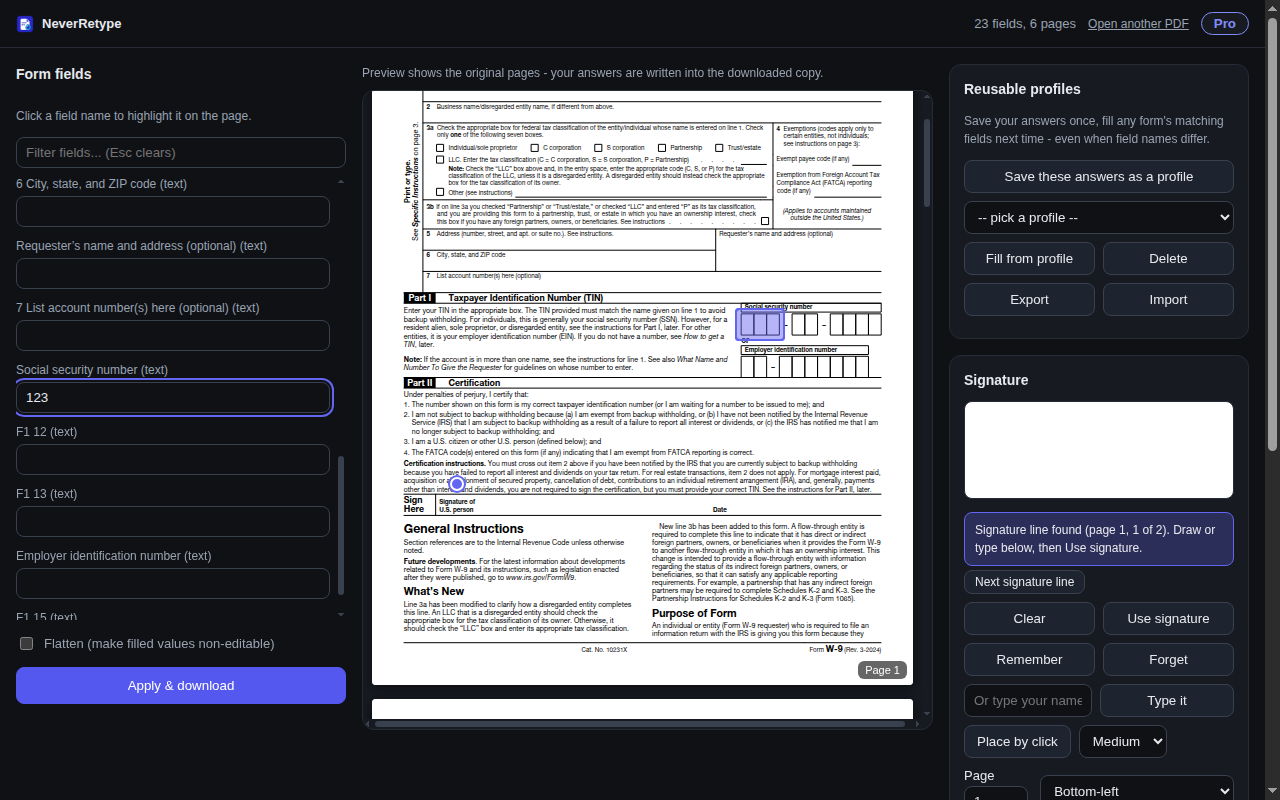
A full page preview, not a list of cryptic field names. Click any field and NeverRetype highlights exactly where it sits on the page.
Smart reusable profiles
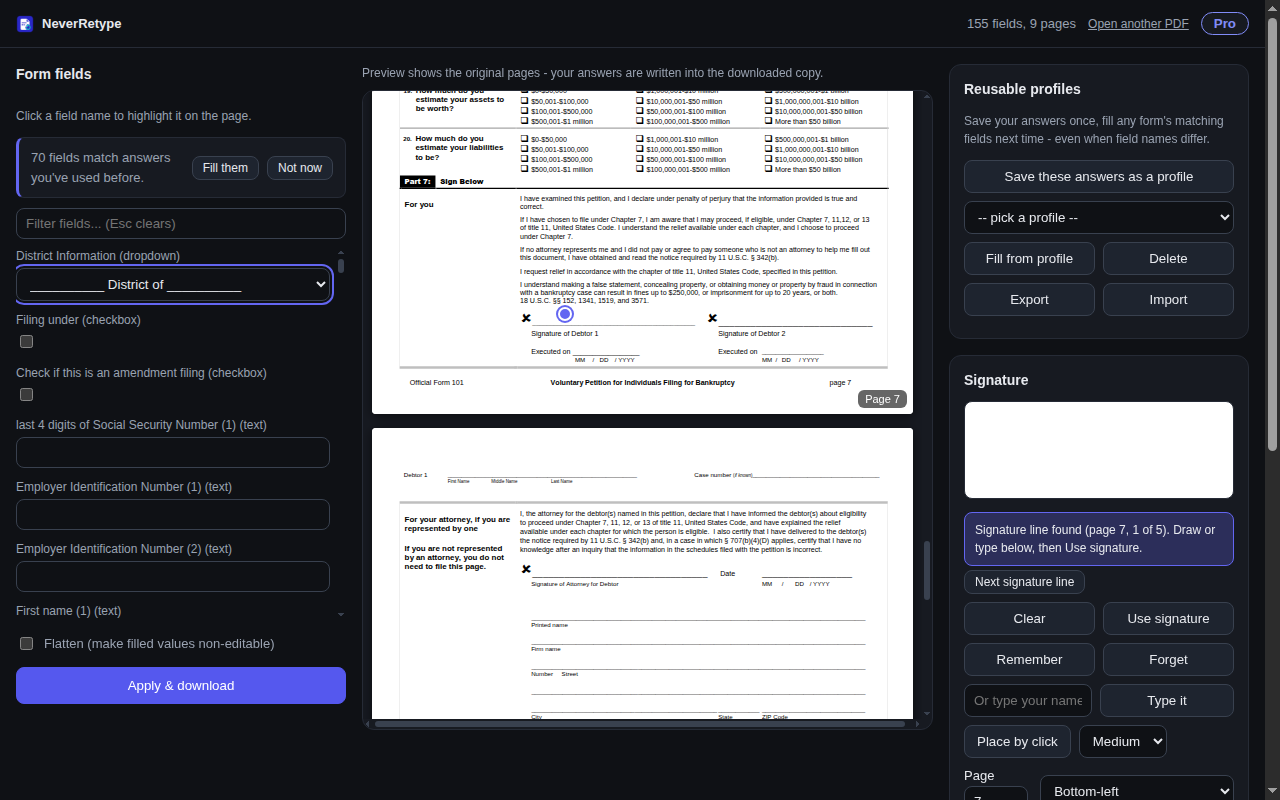
Save a profile once - Personal, My Business - then fill every matching field on the next form in one click. First Name, first_name and FName all count as the same field.
Sign it your way
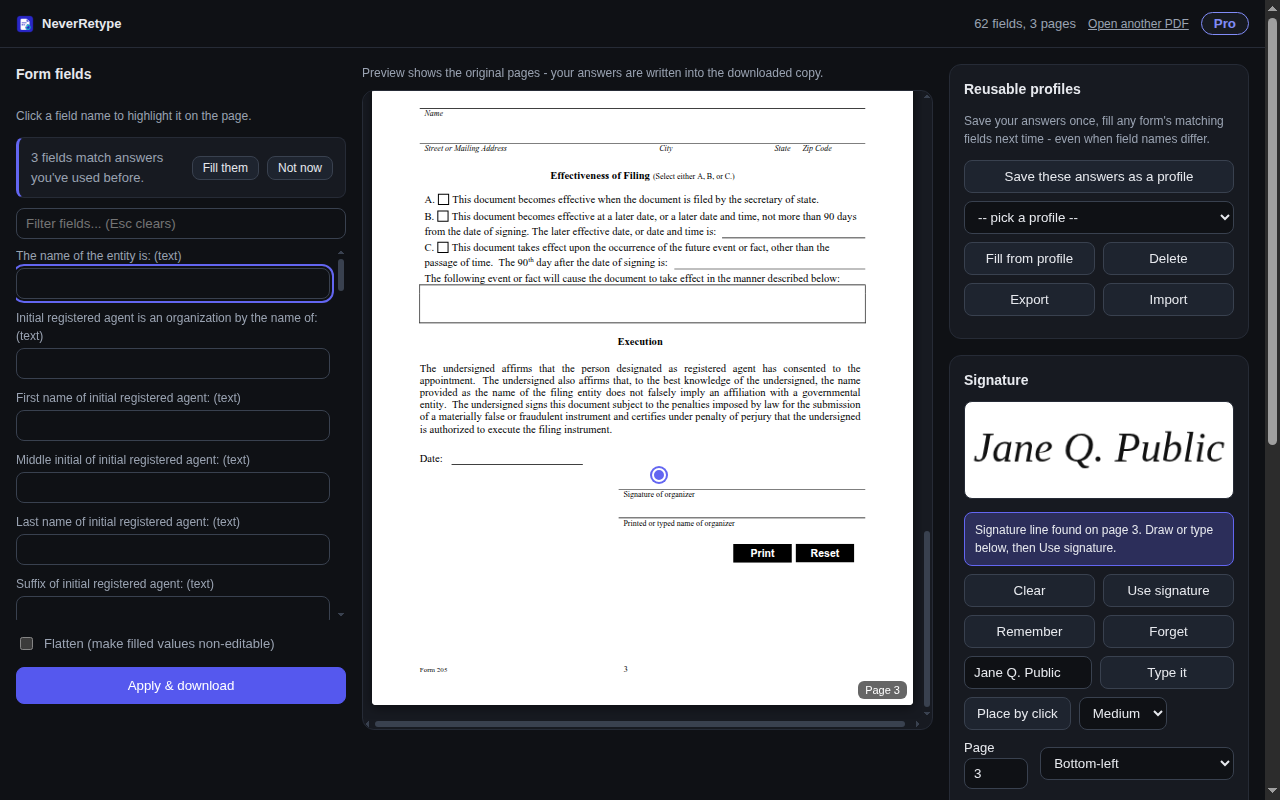
Draw your signature or type your name. Remember it on this device, then stamp it exactly where you click - or pick a page and corner.
Finds the signature line
No signature field on the form? NeverRetype locates the printed signature line and places your signature right on it.
Unlocks protected forms
Owner-protected government forms - SSA, USCIS, many court forms - are unlocked right on your device and filled like any other. No password needed.
Place text anywhere
Flat or scanned page with no fields at all? Type text exactly where you click, then download a clean, filled copy.
One click
Your answers are already waiting.
Open the next form and NeverRetype offers every field it recognizes from what you have filled before. Review, adjust, and download - the busywork is gone.
Signatures
Sign forms that have no signature field.
NeverRetype reads the page, finds the printed signature line and puts your signature on it, typed or drawn.
Pricing
Pay once, if you stay.
Try everything free for 30 days - no card, nothing locked. After that, one $19 purchase keeps profiles, smart refill, import and export, and advanced signing forever.
Restore purchase brings your license back on any machine. You never pay twice, and your data is never held hostage - your profiles and signature stay on your device whether you buy or not.
+ Basic form filling stays free, forever.
NeverRetype Pro
one-time license - not a subscription
- Unlimited answer profiles
- Smart refill across forms
- Import and export profiles
- Advanced and remembered signing
- Restore on every machine you use
Free trial for evaluation. Continued business or commercial use requires the one-time license.
Questions
Good questions, straight answers.
Is my data really private?
Yes. PDFs you open are read, filled and saved entirely in your browser on your computer. There is no server, no upload, and no analytics. The extension's only permission is local storage.
Do I need an account?
No. There is no sign-up and no login. You open a PDF and start filling.
What happens after the 30-day trial?
Basic form filling stays free forever. Saved profiles, smart refill, import and export, and advanced signing need a one-time $19 license. Your saved data is never deleted or held hostage.
What kinds of PDFs work?
Standard fillable PDF forms (the AcroForm kind) get the full experience. Flat or scanned pages can still be signed, and you can place typed text anywhere on them. Owner-protected government forms are unlocked on your device. Password-locked and XFA files get a clear explanation instead of a broken download.
Which browsers does it support?
Chrome and other Chromium browsers - Edge, Brave, and similar - installed from the Chrome Web Store.
Is it a subscription?
No. It is one $19 payment, ever. Restore purchase brings your license back on any machine you use.
Never retype a form again.
Fill it once, save your answers, and let the next form fill itself - all on your own computer.
Add to ChromeFree for 30 days - no account, no card, nothing leaves your device.